You've finished traffic school, downloaded the certificate, and now you're trying to work out who needs it. Florida drivers often mistake the state's electronic record for proof that their ticket case is complete. It isn't. You need to track the state report and the court submission separately, then meet the deadline set by the clerk.
The practical answer to how to submit a traffic school certificate in Florida is straightforward: confirm your course completion is reported to the Florida Department of Highway Safety and Motor Vehicles (FLHSMV), submit proof to the clerk of court handling your citation, and keep evidence of both steps.
Why Florida Certificate Submission Works on Two Tracks
A Florida traffic-school certificate moves through two separate tracks. Your approved course provider reports completion electronically to the Florida Department of Highway Safety and Motor Vehicles (FLHSMV). You handle the court track by meeting the requirements set by the county where your citation was issued.
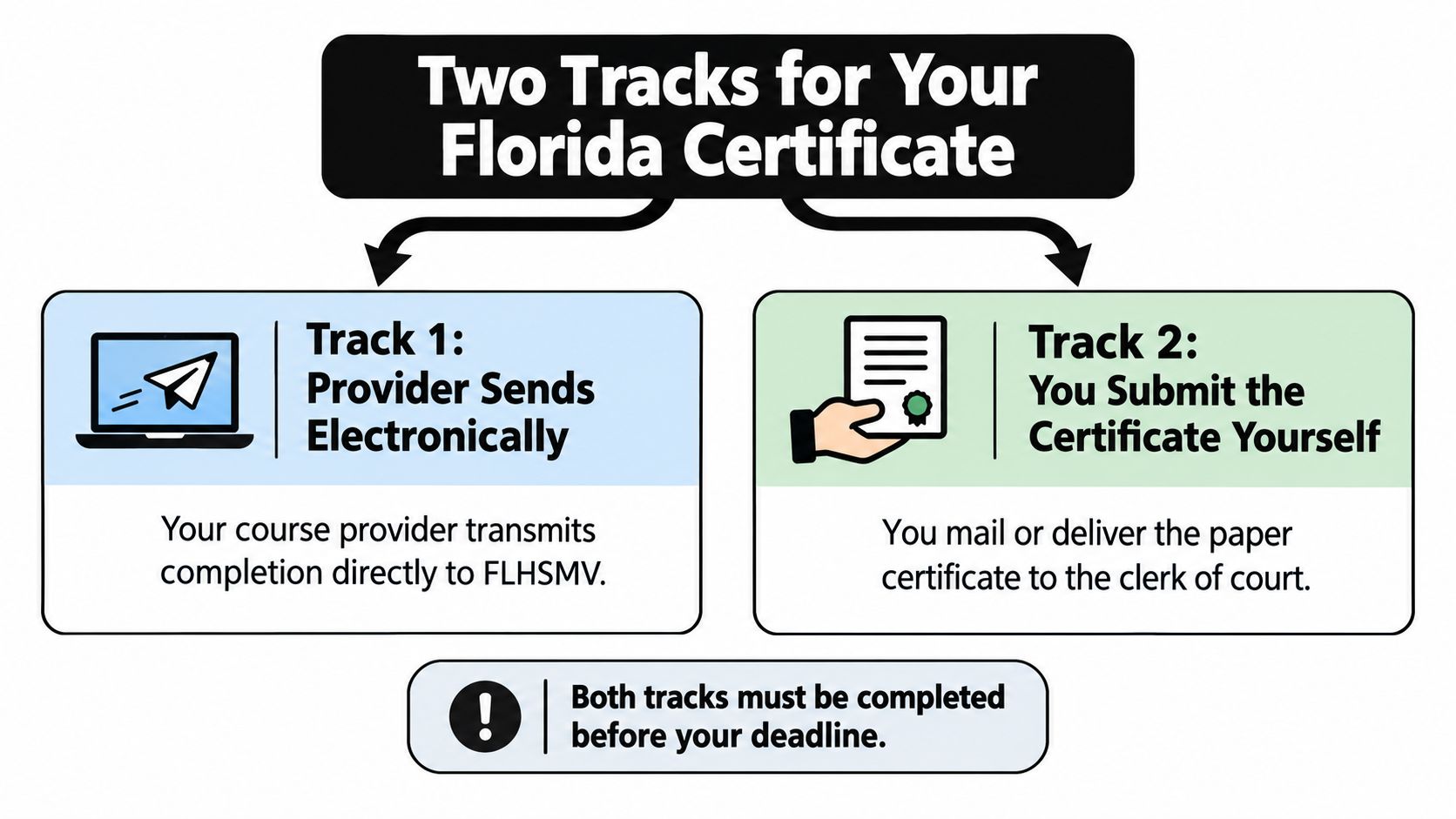
These tracks serve different purposes. FLHSMV records course completion; the clerk handles your citation and checks whether you met the election and completion requirements. A provider's state upload does not file your certificate with the court or close your case. FLHSMV's driver-improvement guidance explains how approved providers report completion. The court process remains your responsibility.
Start with the election deadline
For an eligible moving violation, tell the clerk in the county where the citation was issued that you're electing Basic Driver Improvement (BDI). Make that election within 30 days of the citation date, pay the required fine and fees, and enroll in an approved course. Miss the election window and you may lose the traffic-school option and have points assessed. FLHSMV's traffic-citation guidance states that eligible drivers who elect the course receive an 18% reduction in the citation's civil penalty.
Get the county's instructions before you finish the course. Check your citation for the clerk and case details, then ask the clerk for your exact completion-submission deadline. The clerk's deadline controls. The state's BDI FAQ explains that state reporting does not replace your responsibility to provide proof to the court.
Practical rule: Track state reporting and court filing separately. Keep proof of your court submission, and confirm the clerk's requirements before treating the citation as complete.
Getting Your Paperwork Ready Before You Finish the Course
Start your paper trail when you receive the citation, not when you pass the course. A few saved documents can help you answer the clerk's questions quickly and show what you did if a payment or submission doesn't appear in the case record.
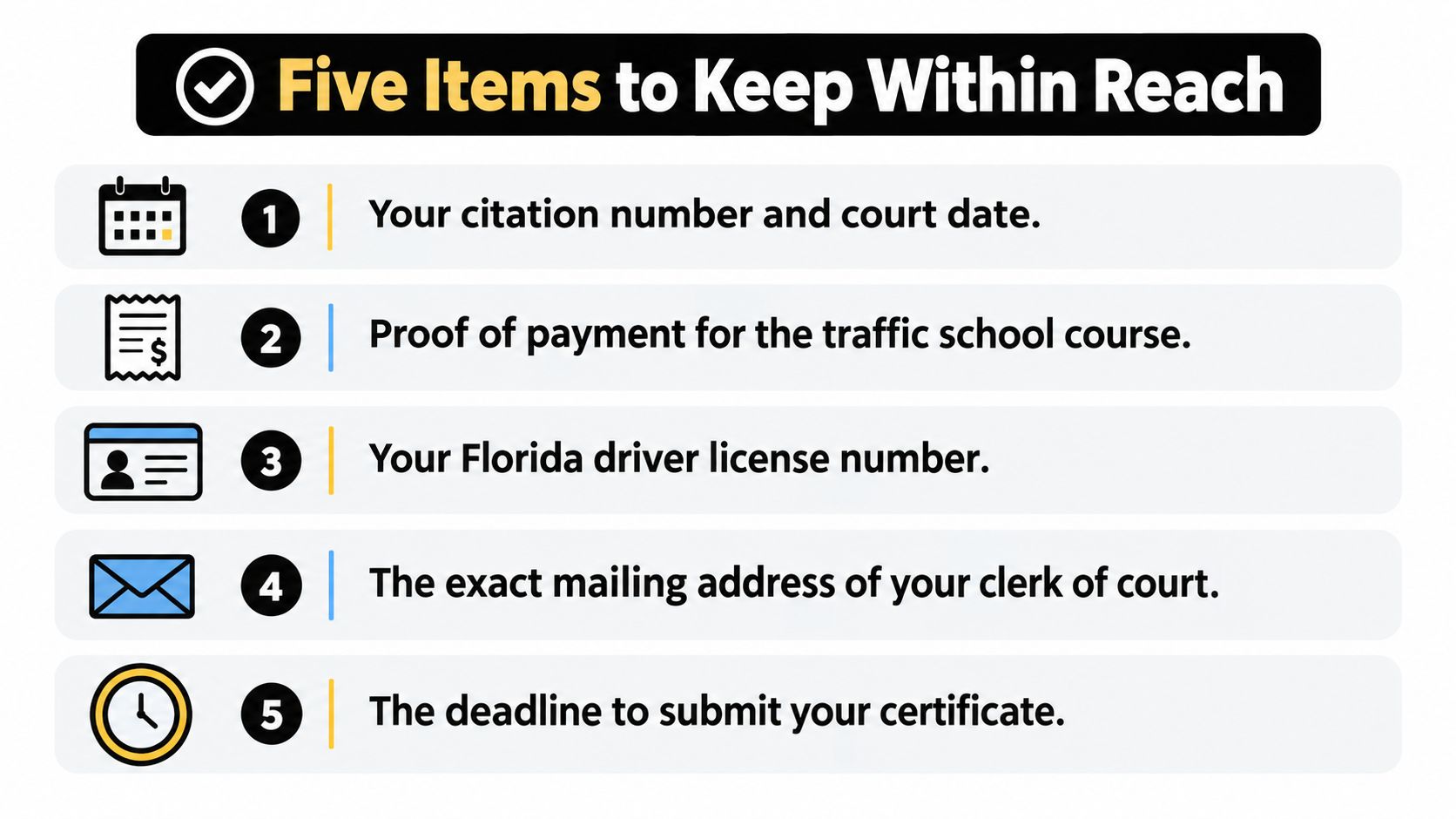
Copy this checklist
- Citation: Keep the ticket or citation notice. It identifies the issuing county and gives you the reference details you'll need when contacting the clerk. If you're unsure where to find the identifying number, use this guide to locate the citation number on a ticket.
- Election confirmation: Save the clerk's confirmation that you elected BDI. This helps distinguish an election you made from a course you completed.
- Payment receipt: Keep proof of your required fine and fees, plus your course-payment receipt. These are separate transactions, and either may be relevant when you ask the clerk to verify your case.
- Certificate number: Record it as soon as the provider issues it. Keep a downloadable certificate copy if one is available, even when the state doesn't require a paper certificate for licensing purposes.
- Submission confirmation: Save the portal confirmation, mailing receipt, delivery record, or written acknowledgment you receive from the clerk.
Make a folder on your phone or computer and save emails, screenshots, receipts, and the certificate together. Use clear file names so you can find the citation, payment proof, and completion record without digging through your inbox.
Before enrolling, confirm the clerk has recorded your election, then choose an FLHSMV-approved course that matches your requirement. If you need to check how long your document remains usable for your situation, review the information about the Florida traffic-school certificate validity period. Keep your own checklist, because your records are the quickest way to resolve a mismatch.
How Your Provider Reports Completion to the FLHSMV
After you finish an approved course, your provider reports your completion electronically to FLHSMV. Allow 24 to 72 hours for the record to appear, according to FLHSMV's driver-improvement information. A same-day search may come up empty, so wait through the reporting window before treating that as a problem.
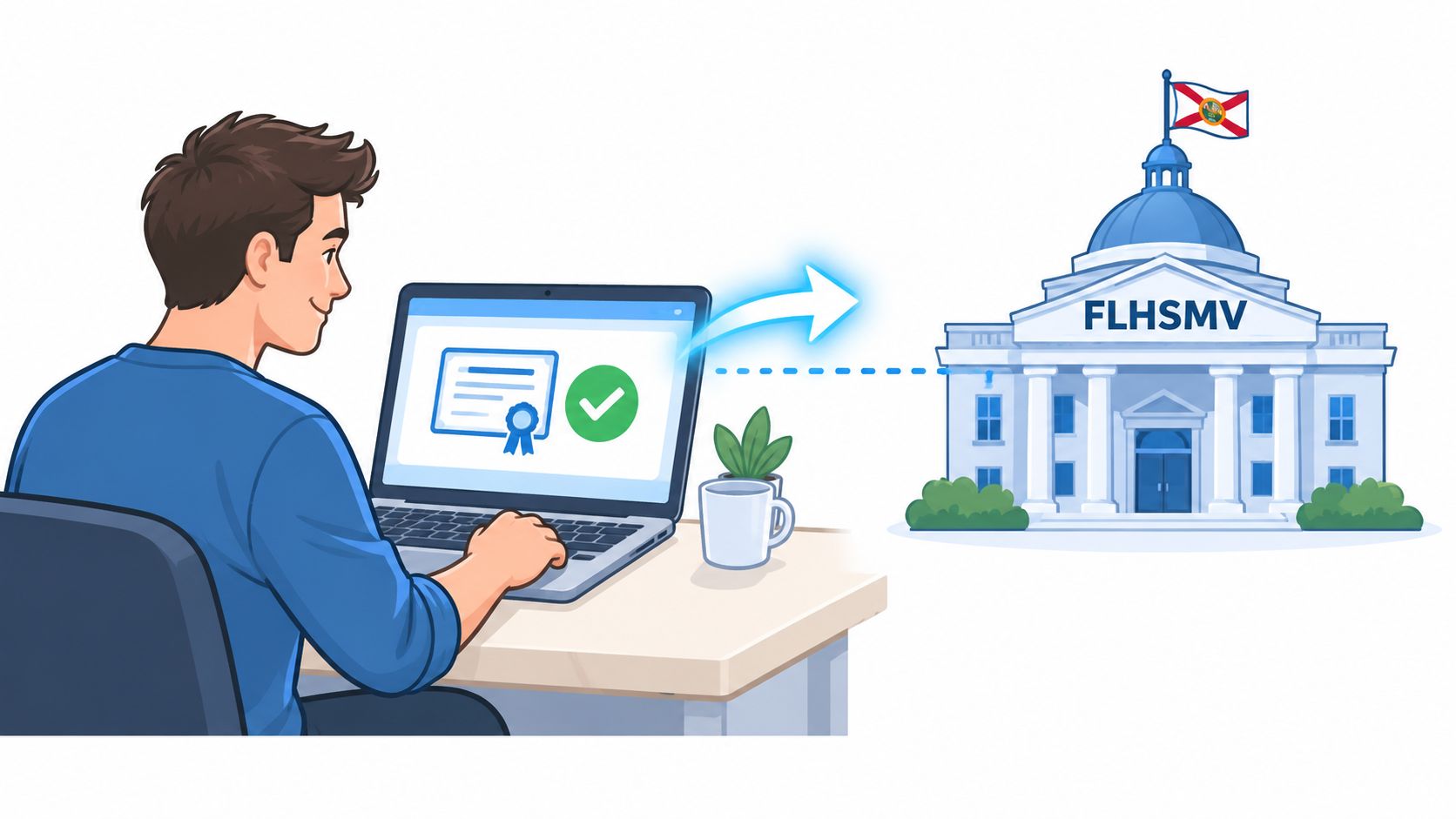
After that window, check your record using the state's Traffic School Completion Check. Search with your driver-license number, certificate number, or citation number, then save a screenshot or note the result. That gives you a record of the provider's report if questions come up.
A state record confirms the report reached FLHSMV. It does not show that the county clerk accepted your certificate or updated your citation. FLHSMV's driver-improvement course FAQ explains that paper certificates are not accepted for licensing purposes and are not required to obtain a driver license. That rule applies to state licensing records. Follow the court's separate instructions for your ticket.
If your completion still does not appear after the reporting window, contact the provider first. Ask whether it sent the report and confirm the identifying details it used. If the court record remains incomplete, contact the clerk handling your case. For a clear overview of how Florida traffic school works, keep the state-reporting and court-submission steps separate.
The video below shows another view of the online submission process.
Submitting Your Certificate to the County Clerk of Court
The clerk handling your ticket is in the county where the citation was issued. Don't choose an office based on your home address, insurance paperwork, or where you took the course. Use the county on the citation, then follow that clerk's instructions for sending proof.
Clerks may accept documents by mail, at an in-person counter, or through an online portal. Availability and required documents vary by county, so verify the approved method directly with the issuing clerk. Ask whether the clerk needs only the certificate or also your election confirmation and proof of payment. Include your citation details so staff can match your documents to the right case.
| Channel | Typical Turnaround | Documentation Trail | Best For |
|---|---|---|---|
| Depends on delivery and clerk processing | Keep copies and a mailing or delivery receipt | Drivers who can send documents early and want delivery evidence | |
| In person | Depends on counter hours and processing | Ask for a receipt or stamped copy | Drivers who want to speak with clerk staff and confirm receipt |
| Online portal | Depends on the county's system and processing | Save the upload confirmation or case status | Drivers whose clerk offers an online filing option |
Choose the method the clerk recognizes
For mail, use the address and document format the clerk provides. Keep a copy of every page and retain the delivery receipt. If you're away from a printer or need to send paperwork remotely, services that let you fax documents to the USA from your can be useful, but only use fax if the clerk confirms it accepts submissions that way.
For in-person delivery, bring the certificate and any other documents the clerk requests. Ask for a receipt or stamped copy before you leave. For an online portal, save the confirmation screen and check that the submission is attached to the correct case.
The clerk's instructions control. Court deadlines commonly fall 60 to 90 days from the citation date, but your specific deadline may differ, so use the date provided by the clerk or court. Don't wait for an online status to change before keeping your own proof of submission.
The Four Mistakes That Cost Florida Drivers Their Dismissal
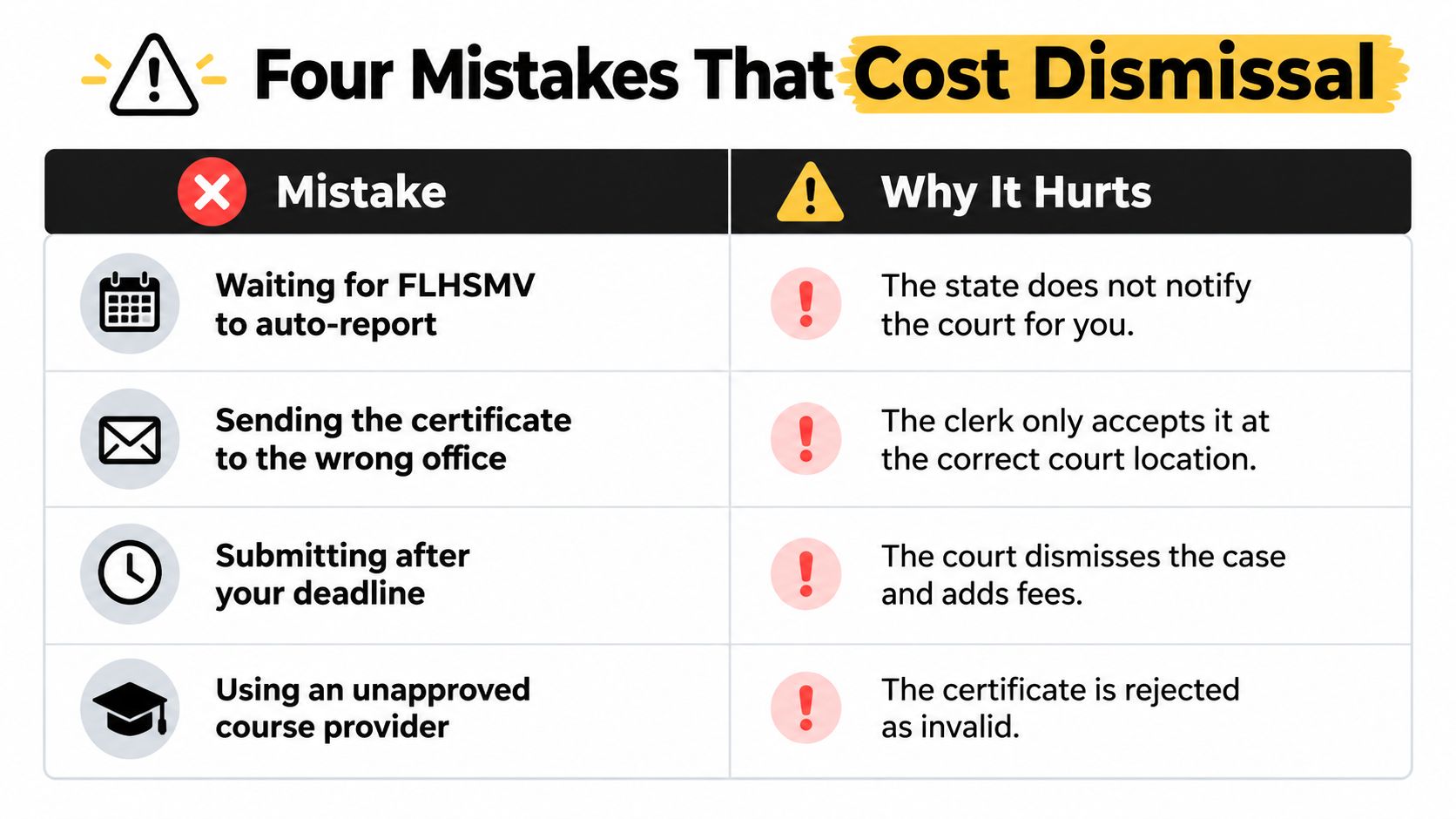
Automatic FLHSMV reporting doesn't take care of your court case. The provider reports completion to the state; you still need to satisfy the clerk's process. These are the errors most likely to derail an otherwise straightforward submission.
Fix the process, not just the paperwork
- Missing the 30-day election: The warning sign is a ticket that's still unpaid or unelected as the deadline approaches. You may lose the option to choose traffic school, and points may be assessed. Contact the issuing clerk immediately; don't assume course enrollment counts as an election.
- Sending documents to the wrong county: A clerk who can't find your citation can't reliably match your proof to the case. Check the county printed on the citation and resubmit through that clerk's approved channel.
- Waiting for automatic reporting instead of filing with the clerk: A state completion check may show your course, while the court still lacks proof. Ask the clerk what it requires and provide the documents through an accepted method.
- Missing the court's deadline: The deadline set by the clerk or court controls. If it's close, call the clerk now and ask which submission method it accepts and how to document receipt.
Don't confuse a state record with a court decision. Verify each track with the office responsible for it.
A missed election or court deadline may not have the same remedy in every case. Ask the clerk what options remain, and get legal advice if you're facing a court appearance or consequences you don't understand. Drivers handling work-related violations may also find this fleet safety guide on speeding tickets useful for understanding why a clear documentation process matters beyond one citation.
For general information on Florida traffic tickets, use a reliable guide, but let the issuing clerk settle questions about your specific case.
A Real Recovery When You Sent It to the Wrong County
Consider a common paperwork mix-up. A driver finishes an approved course and mails the certificate to a county connected to their insurance paperwork, rather than the county printed on the citation. The receiving clerk can't match the document to the case, and the driver assumes the submission is complete because the envelope was delivered.
The fix starts with the citation, not another guess. The driver calls the clerk in the county that received the envelope and asks whether it can identify or forward the submission. Then the driver calls the issuing county, gives the citation number, and asks what the clerk needs to record the course completion.
Refile with the issuing clerk
The issuing clerk may ask the driver to provide the certificate, citation details, election confirmation, and proof of payment. The driver should ask which delivery methods the office accepts and whether it can provide a receipt or case-status confirmation. If the clerk requests a new submission, send it through the channel the clerk specifies and retain proof.
Don't treat this scenario as a guarantee that a clerk will forward paperwork or accept a late filing. Local procedures differ, and the clerk's answer determines the next step. If you can't reach anyone, record the dates and methods of your contact attempts, then follow up with the issuing court using the details on the citation.
The lesson is simple: confirm jurisdiction before mailing anything. A delivery receipt proves that a package arrived somewhere; it doesn't prove the correct clerk accepted it into your case.
Your Florida Submission Action Plan and Quick Answers
Keep the process short and controlled. Use this action plan to separate the tasks and confirm each office has what it needs.
- Before the course: Confirm your BDI election with the issuing county clerk and save the election confirmation and payment records.
- After course completion: Download the certificate, record its number, and retain the provider's completion confirmation.
- For state records: Check the FLHSMV Traffic School Completion Check after allowing the state's stated reporting window.
- For the court: Submit the required proof through the clerk's accepted channel before the deadline the clerk or court gave you.
- After submission: Keep the receipt or portal confirmation and contact the clerk if you need to verify the case status.
Common questions
Does the certificate guarantee an insurance discount? No. Don't assume every insurer offers a discount or accepts every course for that purpose. Ask your insurer what course and documentation it requires before enrolling.
Can I verify my completion directly through FLHSMV? Yes. Use the state's Traffic School Completion Check with your driver-license number, certificate number, or citation number. That confirms the state record, not the clerk's handling of your citation.
What if I missed the 30-day election deadline? Contact the clerk in the county where the citation was issued and ask what options remain. The state says a late election can mean losing the traffic-school option and points being assessed; don't assume completing a course later will reverse that outcome.
Do court-ordered IDI and Aggressive Driver courses follow the same submission rules? The provider may report completion to FLHSMV, but the court order sets your requirements and deadline. Read the order and confirm with the clerk which certificate and submission method it will accept.
Choose a course that matches your citation or court order, and don't enroll until you've confirmed the requirement. Florida drivers can review BDI, IDI, and Aggressive Driver options through the available course catalog or Driver Educators courses.
BDISchool offers Florida-approved online traffic-school courses with electronic certificates and direct FLHSMV reporting. If you're ready to complete the course that matches your requirement and keep your submission deadlines in view, visit BDISchool.