You’ve just received a Florida traffic citation, and the ticket is probably sitting on your counter while you wonder whether paying it is the easiest option. Don’t register for the first course you find. The right sequence is to confirm your eligibility, elect traffic school with the proper court, choose the course that matches your purpose, and finish before your certificate deadline.
This guide shows how to register for online traffic school in Florida without losing time to a wrong course, inaccurate personal information, or an unsubmitted certificate. Start with your citation and make each decision in order.
What to Know Before You Register
You have 30 days from receiving the citation to elect Florida traffic school. Miss that window, and registering for a course will not fix the problem. For a non-criminal moving violation, a driver without a commercial driver license can elect an FLHSMV-approved Basic Driver Improvement school once every 12 months, with a lifetime limit of eight elections. Confirm the election procedure with the clerk handling your citation before you pay, then choose an approved online Florida traffic school.
The course must be approved by the Florida Highway Safety and Motor Vehicles, commonly called FLHSMV. An unapproved provider can issue a completion record the court rejects. If you hold an out-of-state license, ask the Florida clerk whether you must report the election and completion to your home-state licensing agency, because that reporting step can differ from the process for Florida license holders.
Prepare your information first
Have these items ready before opening the registration form:
- Citation: Keep the ticket nearby, including the court reference or case number.
- License: Enter your driver’s license number and legal name exactly as recorded.
- Contact details: Use a personal email account you will keep checking.
- Study setup: Choose a device with reliable internet, working audio, and an updated browser.
Timing matters after payment, too. Miami-Dade Clerk guidance requires the certificate of completion to be received within 120 days of the date of payment or court appearance for traffic-school completion tied to a citation. The clerk directs students to register through the FLHSMV provider listing or online and provides a mailing address for certificate delivery. Review the Miami-Dade traffic school requirements if that county handles your citation.
Course completion does not guarantee an insurance discount. Ask your insurer whether it accepts the course and what discount it offers. Florida guidance caps the discount at 10%, so confirm the benefit with your insurer before relying on it.
Picking the Right Florida Course
The course length matters because Florida-approved programs serve different purposes. Don’t assume every online traffic school course can satisfy a citation or resolve a suspended-license requirement.
| Course | Length | Use Case | Outcome |
|---|---|---|---|
| Basic Driver Improvement, BDI | 4 hours | Eligible moving violation and many court-directed traffic-school elections | The Florida course used to mask points for a moving violation |
| Intermediate Driver Improvement, IDI | 8 hours | Court order or a requirement for deeper driver-improvement instruction | Satisfies an applicable court or administrative requirement |
| Advanced Driver Improvement, ADI | 12 hours | Certain serious or administrative driver-improvement requirements | Used when the court or licensing authority specifically orders it |
| Traffic Law and Substance Abuse Education, TLSAE | 4 hours | Certain licensing situations, including suspended-license requirements | Satisfies the applicable TLSAE requirement |
BDI is the key choice for an eligible moving violation when your goal is point protection. It’s also the course most drivers should investigate first after a routine citation, but the court’s instruction controls. The TLSAE course is not a substitute for BDI. It’s associated with traffic-law and substance-abuse education requirements, including situations involving a suspended license.
Match the course to the situation
- Recent Florida moving violation: Check whether the court allows BDI, then select the 4-hour BDI course.
- Specific court order: Read the order carefully. If it names an intermediate or advanced program, register for that exact course.
- Suspended license requirement: Confirm whether the court or licensing authority requires TLSAE.
- Out-of-state ticket dismissal: Ask the issuing court whether it accepts a Florida-approved online course and which course length it will recognize.
- Learner’s permit holder: Confirm the requirement with the court or licensing authority before registering. Don’t select BDI based only on the fact that the course is short.
For a more detailed side-by-side recommendation, compare the best online traffic school options in Florida before entering payment information. The correct course is the one that satisfies the authority handling your case, not necessarily the one with the shortest study time.
Creating Your Student Account
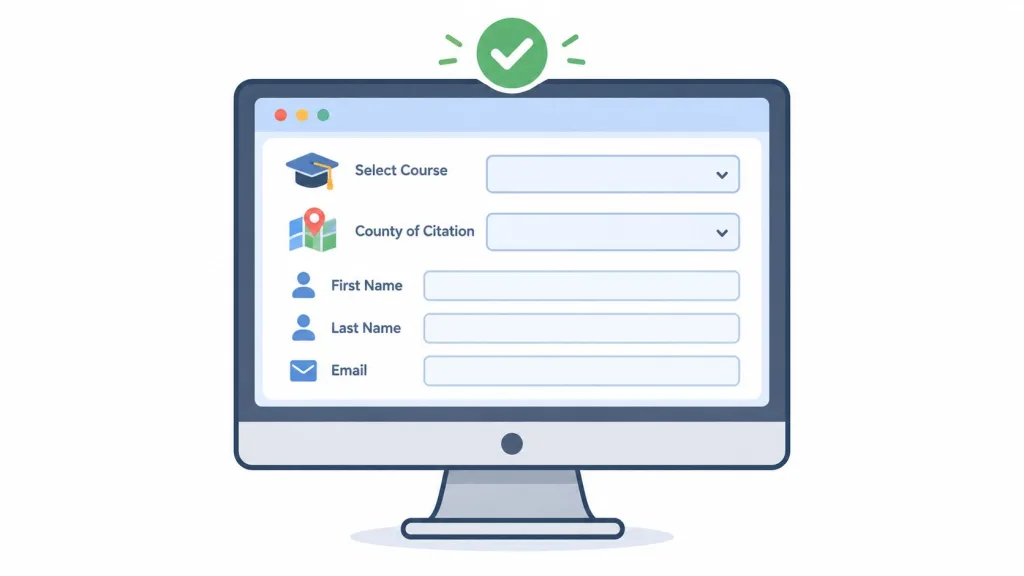
Start by selecting the course that matches your confirmed requirement. If the registration page asks for the county of citation, choose the county printed on the ticket or confirmed by the clerk. A wrong county can send your completion record to the wrong administrative path.
Enter the form carefully
Type the citation or case number exactly as printed. Preserve every digit, dash, and letter. Don’t copy a shortened reference from a text message or rely on memory.
Your full legal name, date of birth, and driver’s license number must match the record used for reporting and certificate identification. Avoid nicknames, missing middle names, or a casual spelling that differs from your license.
Use an email address you control personally. Work addresses can become inaccessible, and an incorrect address can prevent you from receiving account notices or certificate access.
Create a password you can retrieve later, then answer the security question accurately. These credentials may also be used to access your course dashboard and certificate portal, so save them in a secure password manager or another private location. If you lose access later, the defensive driving course login page may be the starting point for account recovery.
Choose your preferred language if the provider offers it. Spanish and audio narration can make the material easier to follow, particularly if you learn better by listening. Review accessibility settings before creating the account rather than trying to change them after you’ve started.
Read the consent statement, confirm that your details are accurate, and select Create Account. That click opens your enrollment process, but it doesn’t replace the court election. Your 30-day decision window continues to matter, so don’t treat account creation as permission to delay the court step.
Paying and Getting Instant Access
Before paying, inspect the checkout summary. It should show the course name, course length, and the price clearly. Confirm that the course you selected is the one you intended, especially if the provider offers BDI, IDI, ADI, and TLSAE on the same catalog.
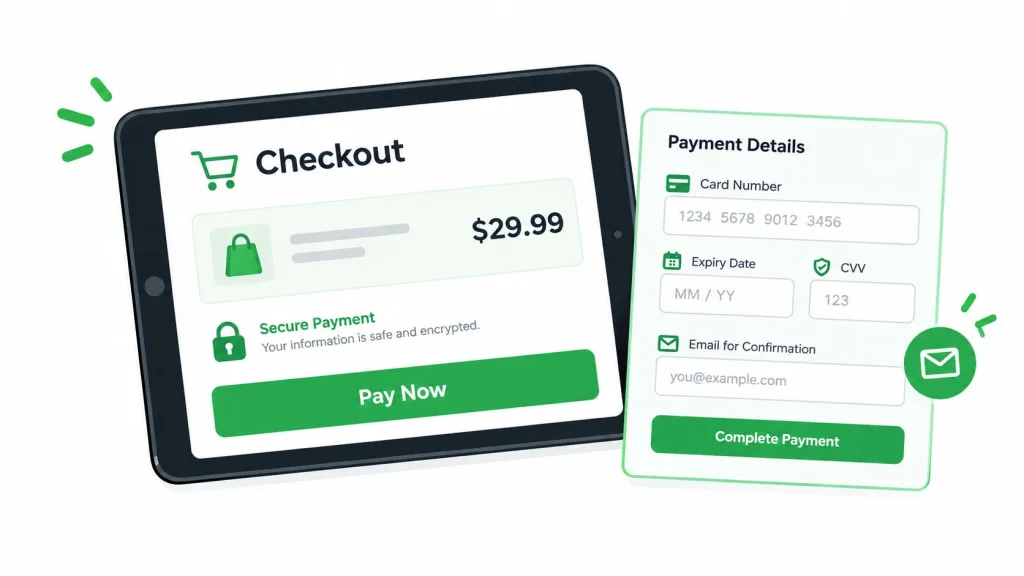
Enter your billing details and verify that the checkout email matches the email on your student account. Use a personal payment card rather than a prepaid gift card. Some payment processors decline prepaid cards, and a failed transaction can leave you unsure whether access was created.
Most online courses are organized around fixed completion times. Texas and New York course pages cite 6-hour programs, while Kentucky requires completion within 30 days of referral or conviction after the student receives an enrollment letter. Review the Texas course details to see how provider course timing can differ by state. Florida’s requirement still depends on the course and authority connected to your case.
After payment clears, check the dashboard status. It should change from pending to enrolled, and the opening chapter should become available. Test the player before you begin seriously:
- Audio: Play the introduction, then mute and unmute it.
- Progress: Refresh the page and confirm your place remains saved.
- Device: Check the course on the phone, tablet, or laptop you plan to use.
- Connection: Use a stable private network if public Wi-Fi causes interruptions.
If a module won’t load, clear the browser cache, disable pop-up blocking for the course domain, and switch networks. Fixing the setup before studying prevents lost progress and unnecessary support requests.
The payment screen should be followed by a working lesson, not a closed browser tab. Keep your confirmation email until the course and certificate process are complete.
Finishing the Course and Receiving Your Certificate
At 11:40 p.m. on a Wednesday, Marcus, a Jacksonville driver, completed his fourth chapter, passed the final multiple-choice quiz on his second attempt with an 82 percent score, and selected Submit Course. Within 60 seconds, the screen produced a printable Certificate of Completion showing his full legal name, date of birth, driver’s license number, and FLHSMV-approved course code.
Check both records
A certificate on screen does not finish the job. The provider transmitted Marcus’s completion record electronically to the Florida Department of Highway Safety and Motor Vehicles through the state-approved reporting system, with transmission usually taking one to three business days.
Two mornings later, Marcus checked his GoRenew account and driving record. He confirmed that the four-point credit had posted to his recent citation, downloaded the PDF certificate, emailed a copy to his insurance agent for a possible defensive-driver discount, and stored the original in his glove box.
Use that same checklist. Confirm the certificate is readable, verify every identity detail, and check the state record when electronic reporting applies. If your court requires proof, deliver the certificate by its deadline rather than assuming the provider handled that step.
Keep the certificate until the court confirms the case is complete and your insurer confirms whether it will apply a discount. The online driving certificate process should make retrieval straightforward, but you remain responsible for checking the information and keeping proof. Florida’s 30-day election window and 120-day certificate window still control whether the course counts, so finish and submit it before your applicable deadline.
Registration Mistakes That Cost You Your Certificate
A registration can fail because of one wrong character or one missed deadline. Check the form before paying, especially if you are using Florida’s 30-day election window or trying to finish within the 120-day certificate window.
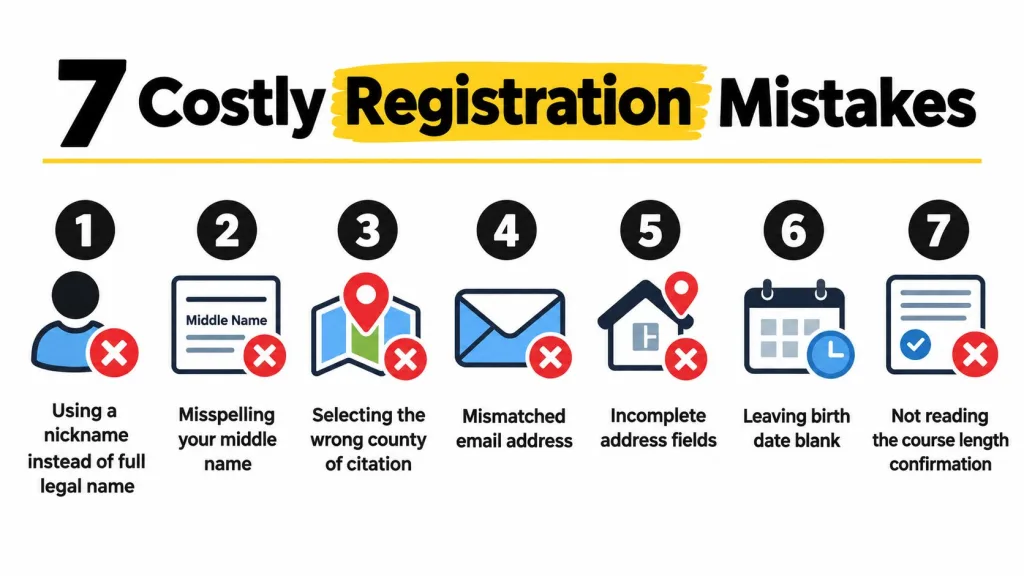
Using a nickname: A certificate issued to “Mike” may not match a license record listing “Michael.” Enter your full legal name exactly as it appears on your driver license.
Misspelling your middle name: Include the middle name shown on your license. Copy each identification detail directly from the document instead of relying on memory.
Selecting the wrong county: Choose the county where the citation was issued, not the county where you live. Read the ticket before selecting a county from the registration menu.
Mismatching the email address: Use the same personal email for the student account and payment record. A work address that later becomes unavailable can prevent you from retrieving course messages or your certificate.
Leaving address fields incomplete: Fill every required field, including the unit or apartment number when it applies. Missing information can delay a support review.
Leaving the birth date blank: Enter your date of birth before submitting the form. It helps connect the student account to the correct driver record.
Ignoring course-length confirmation: A shorter course does not automatically satisfy your purpose. Compare the final course description with the court’s instruction, and confirm the choice with the clerk when the requirement is unclear.
Practical rule: Copy the citation number from the ticket, match your license exactly, and verify the course length before paying.
Register promptly after confirming the court’s procedure. Florida gives eligible drivers 30 days from citation receipt to make the election. Waiting until the deadline leaves little time to fix a rejected form or resolve a court problem, and finishing the wrong course will not repair that mistake.
Before you begin, use a device that runs the course player reliably and saves progress. A laptop or updated tablet is the safer choice when a phone browser blocks modules or loses cookies. Complete every identity check, save the confirmation email, and keep your registration details with the ticket.
Quick Answers and Your Next Step
How long does online traffic school take? Most online courses use a fixed-hour structure. Provider and state guidance includes courses built around six hours, while Florida’s BDI and TLSAE options are listed as four-hour courses in the comparison above. Court-ordered programs can take longer, so follow the course length named by the authority handling your case.
Can I use a phone or tablet? Often, yes, if the device supports the course player, audio, identity checks, and saved progress. A laptop is the safer choice when your phone browser blocks a module or loses cookies.
What happens if I miss the 30-day election window? Contact the clerk immediately. Once the election period has passed, the court may no longer honor your traffic-school request, and a provider can’t create eligibility that the court hasn’t granted.
Does the insurance discount apply automatically? No. Ask your insurer whether it accepts the completed course and what documentation it needs. Florida’s stated ceiling for the discount is 10%, but the insurer decides how it applies the benefit.
Can I use traffic school after another ticket? Don’t assume you can. Florida’s BDI election is limited to once every 12 months and eight elections over a lifetime for eligible drivers without a commercial driver license. Check your prior elections and confirm current eligibility before registering.
Make the decision while the ticket is in front of you
The cleanest approach is simple: verify the court election, select the correct course, create the account with exact information, test your device, and finish early enough to deliver the certificate. Miami-Dade guidance illustrates why completion alone isn’t enough, because the certificate must reach the clerk within the applicable 120-day window.
Browse the available course catalogs at BDISchool courses or DriverEducators courses, compare the required course length, and begin registration today. BDISchool offers online Florida-approved traffic school courses with account registration, secure payment, flexible study access, and electronic certificate handling, so visit BDISchool and choose the course that matches your citation or licensing requirement before your deadline gets closer.